Jetpack Compose Basics: Exploring Row, Column, and Box
Zero to One ( 03 )

Native Android Developer and content creator
In Jetpack Compose, there are three basic Composables: Row, Column, and Box. With these, we can create any layout format we want.
Row :
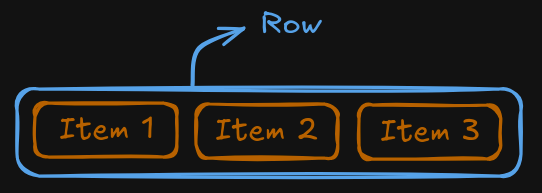
A Row arranges its children horizontally
Think of it as placing items side by side
import androidx.compose.foundation.layout.Row

@Composable
fun RowExample() {
    Row {
        Text("Item 1")
        Text("Item 2")
        Text("Item 3")
    }
}
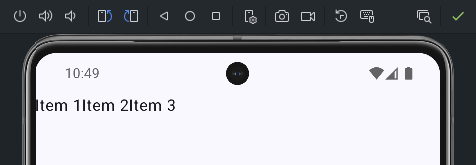
Here's what it will look like:
Now, if we want to customize the design further, we can adjust the position of the items as needed, like this:
@Composable
fun RowExample() {
    Row(
        //ignore the first line for now (you will get to know about this in next post)
        modifier = Modifier.height(100.dp).fillMaxWidth().background(Color.Yellow),
        horizontalArrangement = Arrangement.End,
        verticalAlignment = Alignment.Bottom
    ){
        Text("Item 1")
        Text("Item 2")
        Text("Item 3")
    }
}
Ignore the Modifier for now; we will explain it in detail in the next post.
From the syntax, you can see that the row has some height and width set (just to demonstrate the positioning).
The output of the above code should look like this
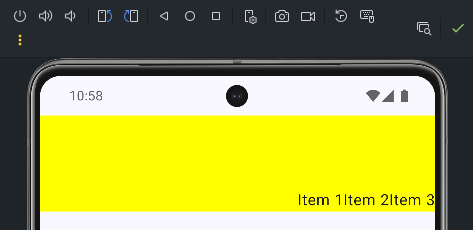
the horizontal and the vertical arrangement can be of several types
Columns :
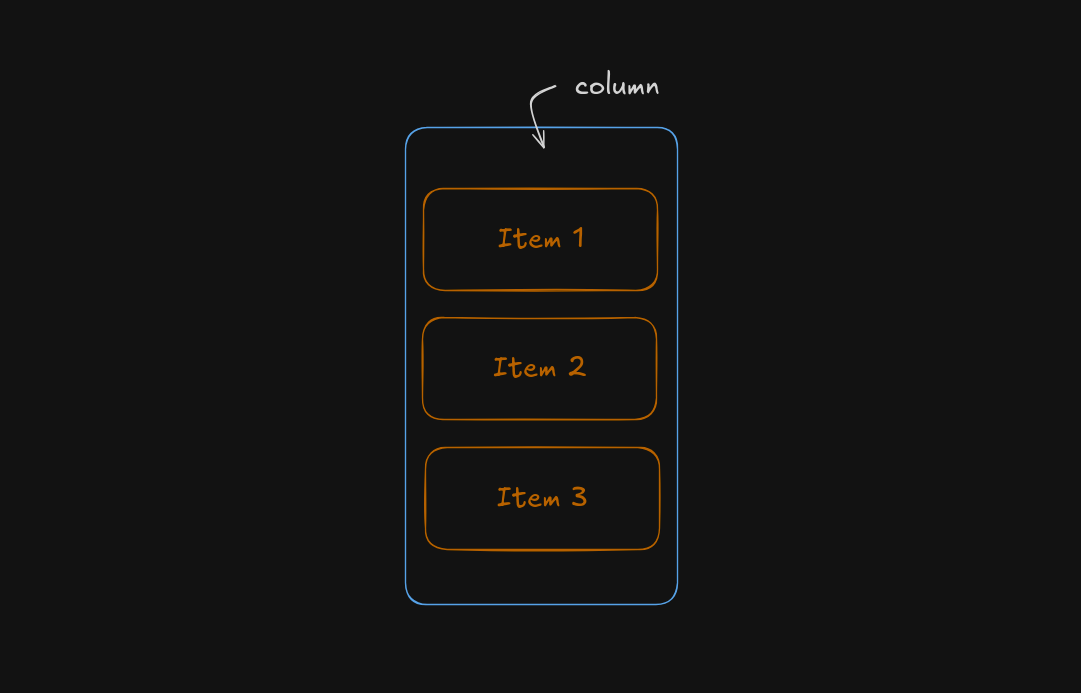
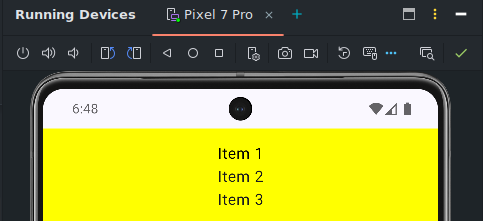
A Column arranges its children vertically
Think of it as placing items upside down
    @Composable
    fun ColumnExample() {
        Column(
            //ignore the first line for now (you will get to know about this in next post)
            modifier = Modifier.height(100.dp).fillMaxHeight().background(Color.Yellow),
            horizontalAlignment = Alignment.CenterHorizontally,
            verticalArrangement = Arrangement.Center
        ){
            Text("Item 1")
            Text("Item 2")
            Text("Item 3")
        }
    }
Box :
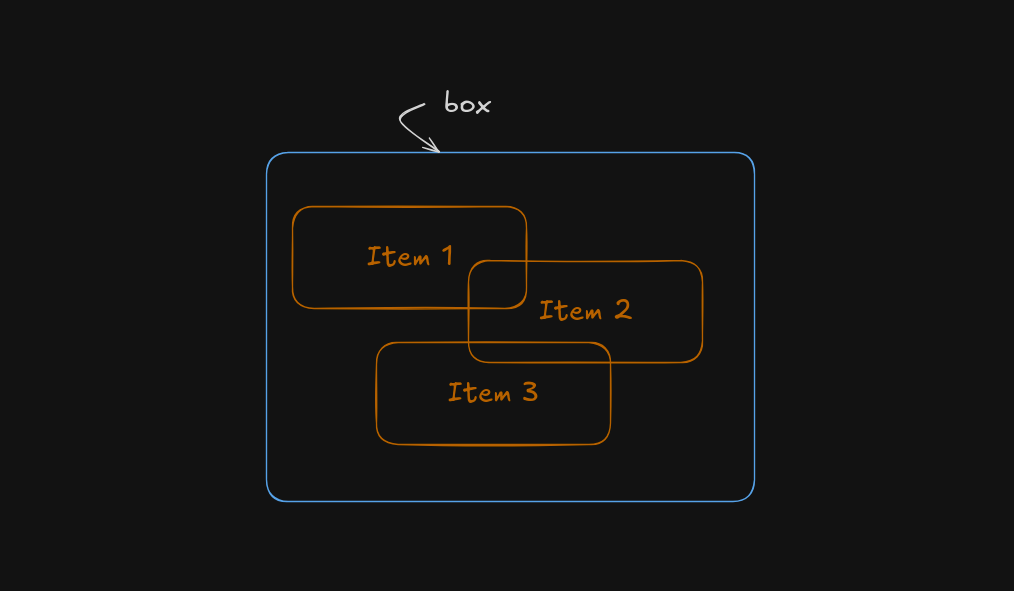
A Box arranges its children on top of each other (z-axis)
Think of it as placing items in a stack
    @Composable
    fun BoxExample(modifier: Modifier) {
        Box(
            modifier = modifier
                .height(100.dp)
                .fillMaxSize()
        ) {
            Box(
                modifier = Modifier
                    .offset(x = 0.dp)
                    .height(100.dp)
                    .width(100.dp)
                    .background(Color.Red.copy(0.5f))
                    .alpha(0.3f)

            )
            Box(
                modifier = Modifier
                    .offset(x = 80.dp)
                    .height(100.dp)
                    .width(100.dp)
                    .background(Color.Blue.copy(0.5f))
                    .alpha(0.3f)
            )
            Box(
                modifier = Modifier
                    .offset(x = 160.dp)
                    .height(100.dp)
                    .width(100.dp)
                    .background(Color.Green.copy(0.5f))
                    .alpha(0.3f)
            )
        }
    }